

See how your salon is doing.
Calls, bookings and reviews on one screen, on your phone or computer. What needs you is at the top, and a short email lands every morning.
Use Curivanta anywhere.
On the front desk computer, on your phone between clients, or on the couch at night. Shown here with a sample salon.
On your computer
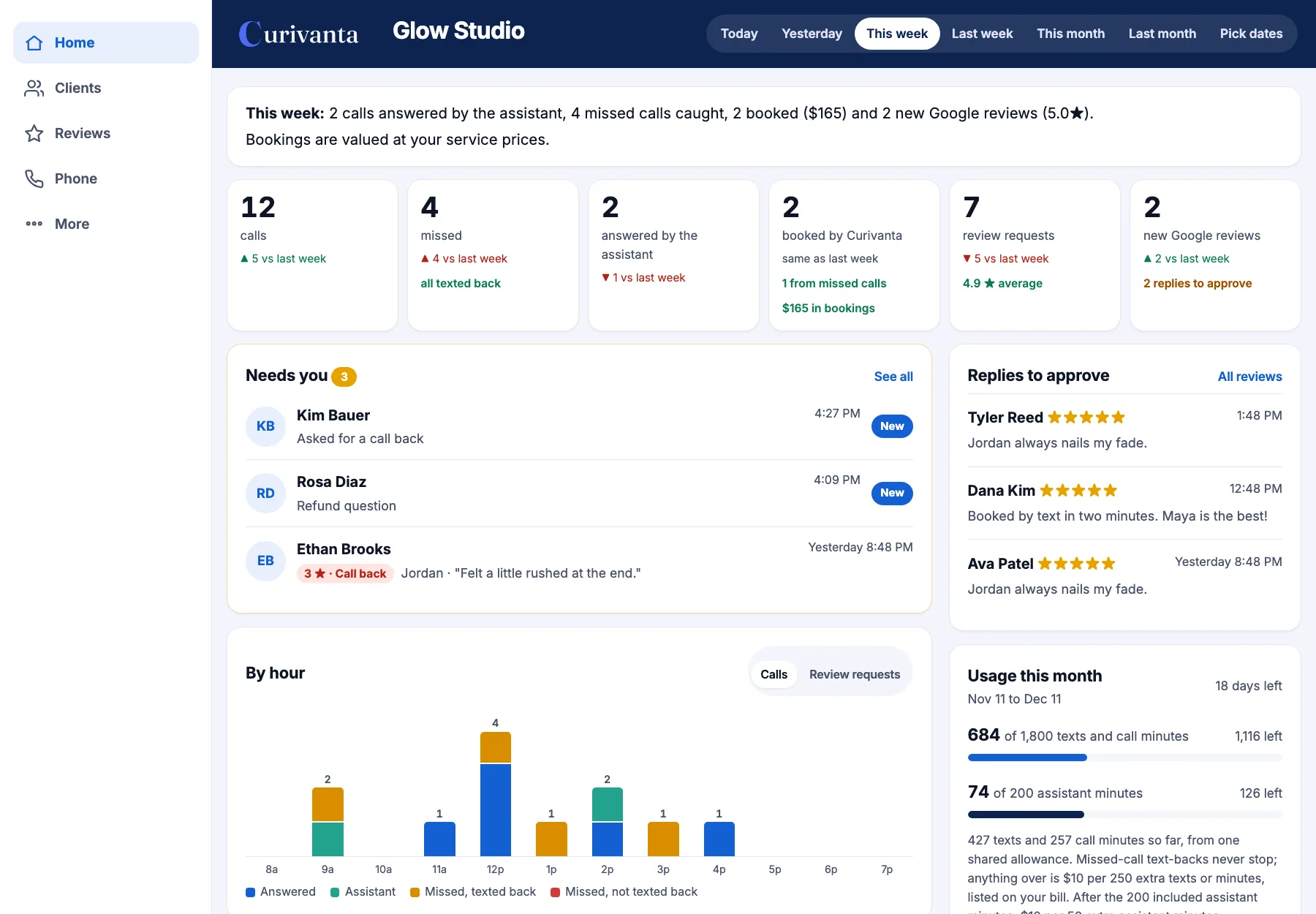
Open app.curivanta.com in any web browser. Big screens get more room: everything side by side, the menu on the left. Call clients right from the computer.
On your phone
The Android app rings for calls even when it's closed, and sends one notification when someone needs you. Get it on Google Play. On iPhone, add it to your Home Screen. The iPhone app is on its way.
At the front desk
Everyone gets their own login. Calls ring whoever has the Phone screen open, and replies show who sent them.
Right next to your booking software.
Keep Curivanta in a narrow window beside your appointment book on the front desk computer. It fits any size.
Drag it full screen to see the day's calls, bookings and reviews side by side.
Calls ring the computer while the Phone screen is open. Pick up with a headset, put callers on hold or transfer them.
Your numbers for any day, week or month
Every number compared with the same stretch before, a chart that follows the dates you pick, and each stylist's ratings and reviews.
- "Needs you" first: conversations waiting and low ratings
- "Since you started": what Curivanta has done for you so far
- Kim B. asked for a call back
- Refund question from Lena
- Rated 3 with a note
Every client remembered
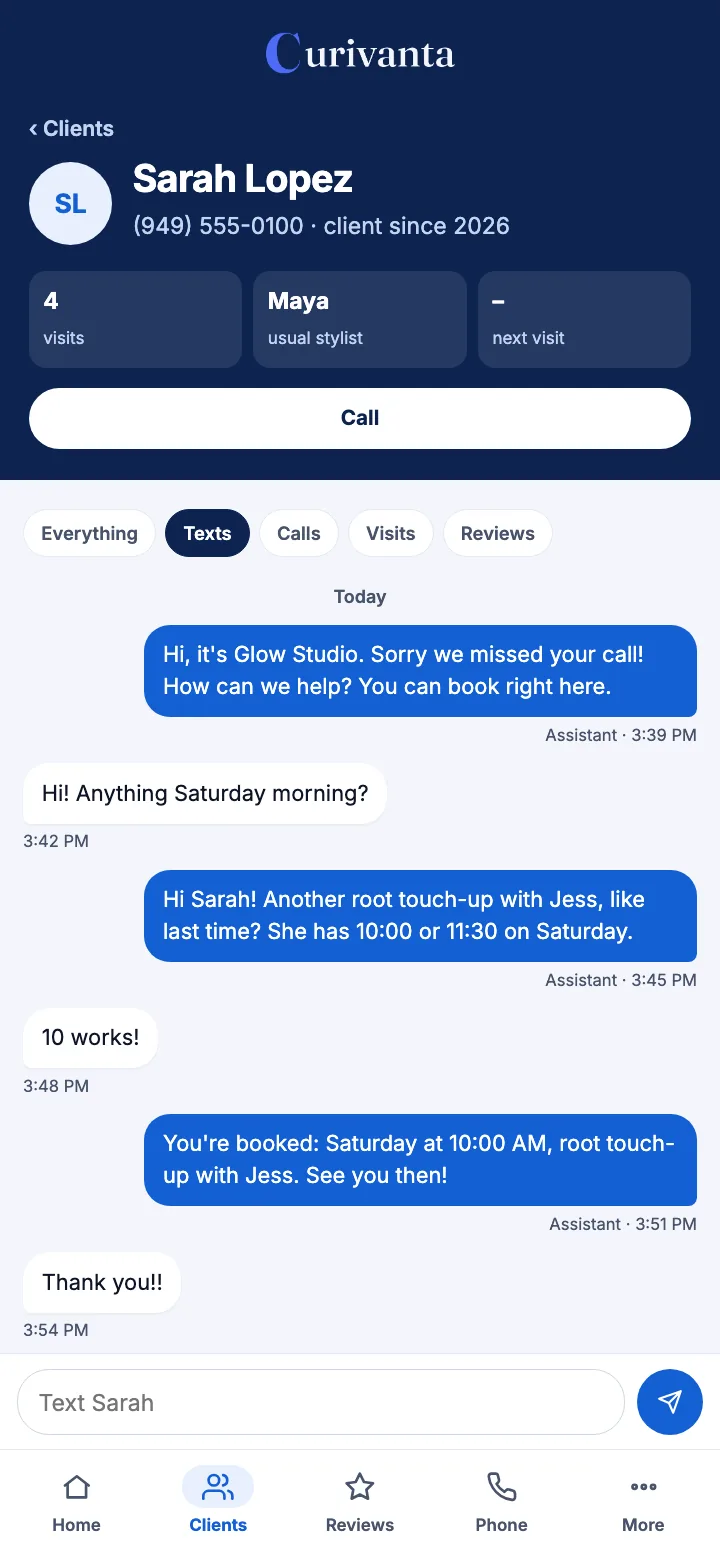
Most salons keep these in separate places: texts on one phone, reviews in Google, bookings in the calendar. Curivanta puts each client's whole story on one page, so you and the AI both know who you're talking to.
- One timeline: calls, voicemails, texts, visits, review requests and Google reviews, in order
- The basics at a glance: visits, usual stylist, next visit
- Google reviews matched to the client, with your reply
- Reply or call from the same page. Your salon number shows, not your cell
This is also why the AI can say "another root touch-up with Jess, like last time?" It reads the same history you do.
Jess is the only one I trust with my color.Your reply: Thank you, Sarah! See you next time.
Hi, do you have any availability for Saturday?
Hi Sarah! Is it for another root touch-up with Jess, like last time? She has 10:00 or 1:30.
10 please
Only the notifications that matter
Only what needs you, on your phone: hand-offs, voicemails, new reviews and bookings. Quiet from 9 PM to 8 AM. Plus a morning email with yesterday's numbers.
- Team logins: managers run the day, front desk handles clients
- Billing and plan settings stay with you
- One login for several salons
Is there a phone app?
Yes, on Android: search for Curivanta on Google Play. On iPhone, add Curivanta to your Home Screen from Safari to get notifications; the iPhone app is on its way.
Can my front desk use it?
Yes, on Light and Pro. Front-desk logins see clients, messages, calls and reviews, but not usage, billing or settings. Replies show who sent them.
Stop losing bookings to missed calls.
Set up in about 15 minutes. Your monthly plan starts only when texting goes live.